The missing mini player for YouTube Music
A floating window on your desktop—always in sync with your YouTube Music tab.
 Install extension
Works in Chrome version 130 and newer
What it does
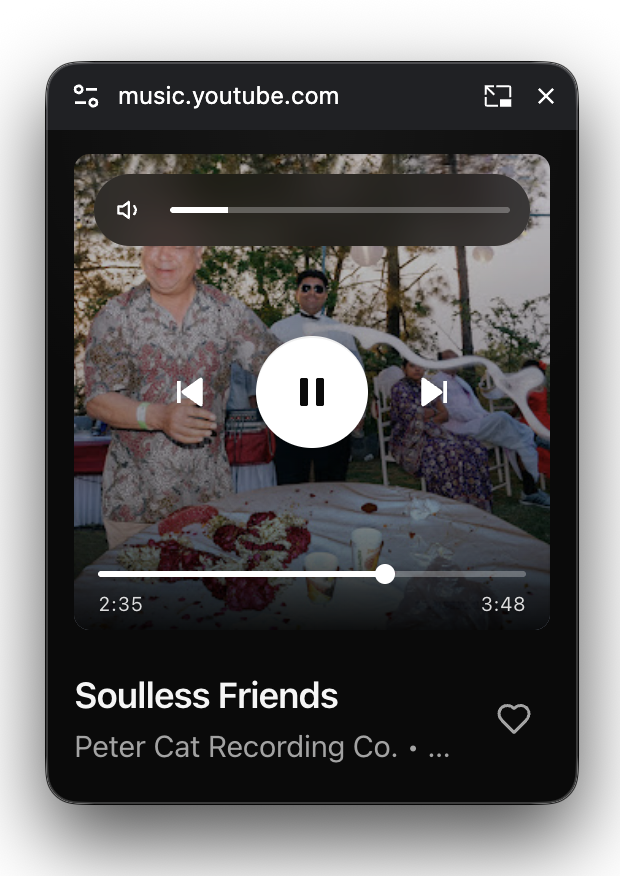
You get a proper floating window, not just a tiny video box: the same kinds of controls you use on YouTube Music, plus what’s playing, in one place you can move and keep visible while you work or browse elsewhere.
At a glance
- Stays matched
- Cover art, song and artist, whether it’s playing or paused, where you are in the track, volume, mute, and like—all follow the tab.
- What you can do
- Play and pause, skip songs, move along the bar to jump in the track, change volume—or scroll on the artwork to nudge it up or down.
Install from GitHub
The extension isn’t in the Chrome Web Store yet—you install it yourself from each release.
- Download the ZIP from the latest release on GitHub (under Assets).
- Unzip the file and keep the folder somewhere permanent—Chrome will load the extension from that folder.
- Open Chrome’s Extensions page: paste chrome://extensions into the address bar, or Menu → Extensions → Manage extensions.
- Turn on Developer mode (switch in the top-right of that page).
-
Click Load unpacked, then pick the unzipped folder—the one that contains
manifest.json.
Use it
- Open YouTube Music in Chrome with the extension enabled.
- Start playing a song or playlist in that tab so the extension knows what’s on.
- Use the on-page control to pop out the mini player into its own floating window.
Keyboard shortcuts
Click the mini player once so it’s the active window, then use the keys below—same ideas as many music apps.
Space / K play or pause · ←→ jump in the song · ↑↓ volume · Shift←→ previous or next song · M mute